Original: $299.00
-65%$299.00
$104.65The Story
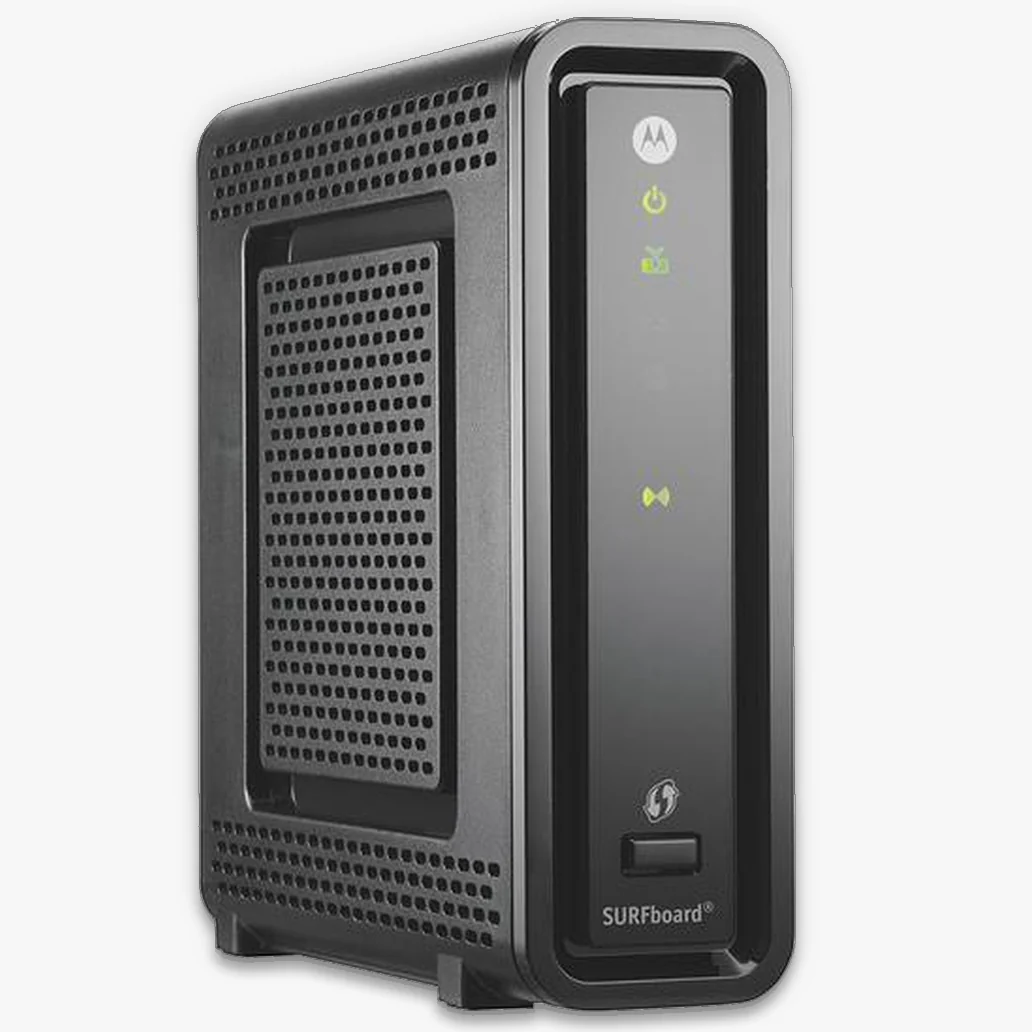
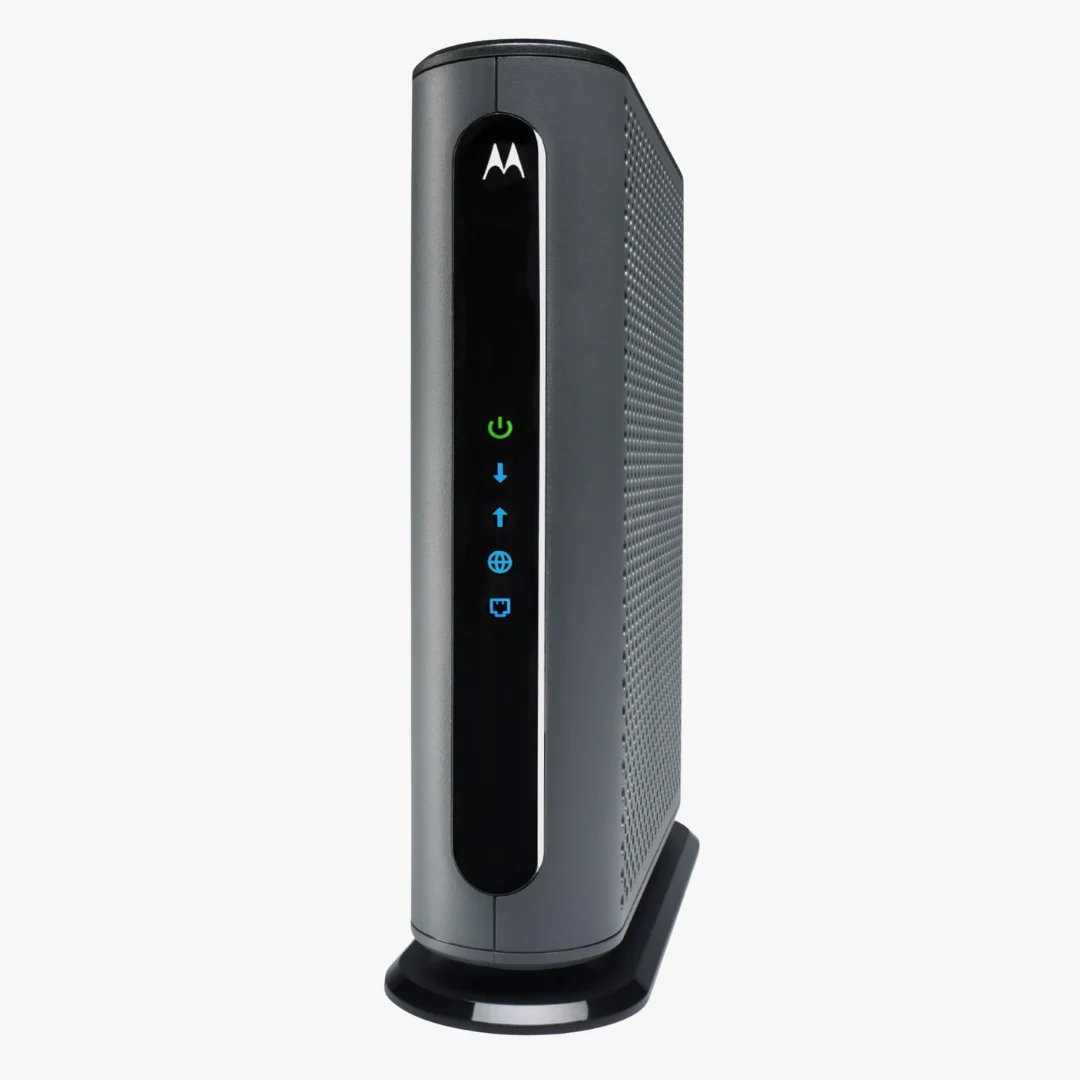
Unlock gigabit-plus internet with the Motorola MB8611. This DOCSIS 3.1 modem is approved for use with major cable ISPs and features a 2.5 GbE port, low-latency AQM, and seamless pairing with any Wi-Fi router.
Key Features
- DOCSIS 3.1 (backward compatible with 32x8 DOCSIS 3.0)
- 2.5 Gbps Ethernet for multi-gig routers, PCs, and NAS
- Lower latency with Active Queue Management (AQM) for smoother gaming, streaming, and video calls
- Own your modem and avoid monthly rental fees
- Works with any Wi-Fi router (no Wi-Fi or telephony built in)
Compatibility
Approved for most plans with major cable providers:
- Comcast Xfinity
- Spectrum (Charter)
- Cox
- RCN (Astound) in many regions
Important: Plan speeds and approval can vary by region. Check with your ISP to confirm support for your specific service tier.
Specs
| Brand | Motorola |
|---|---|
| Model | MB8611 |
| DOCSIS | 3.1 (OFDM/OFDM-A), 32x8 DOCSIS 3.0 backward compatible |
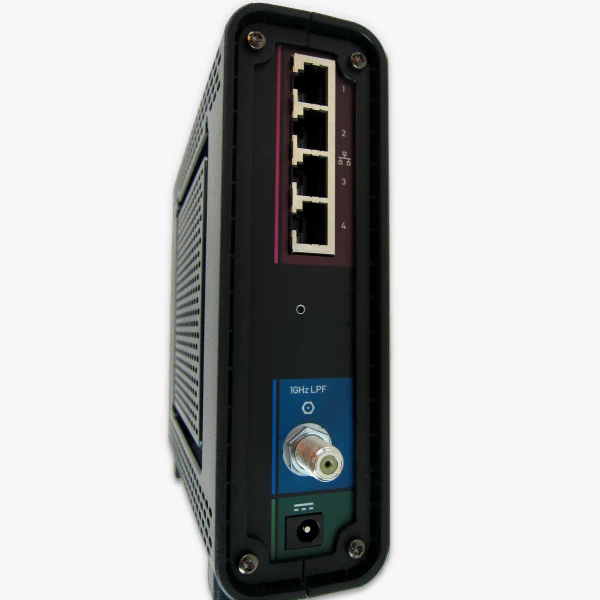
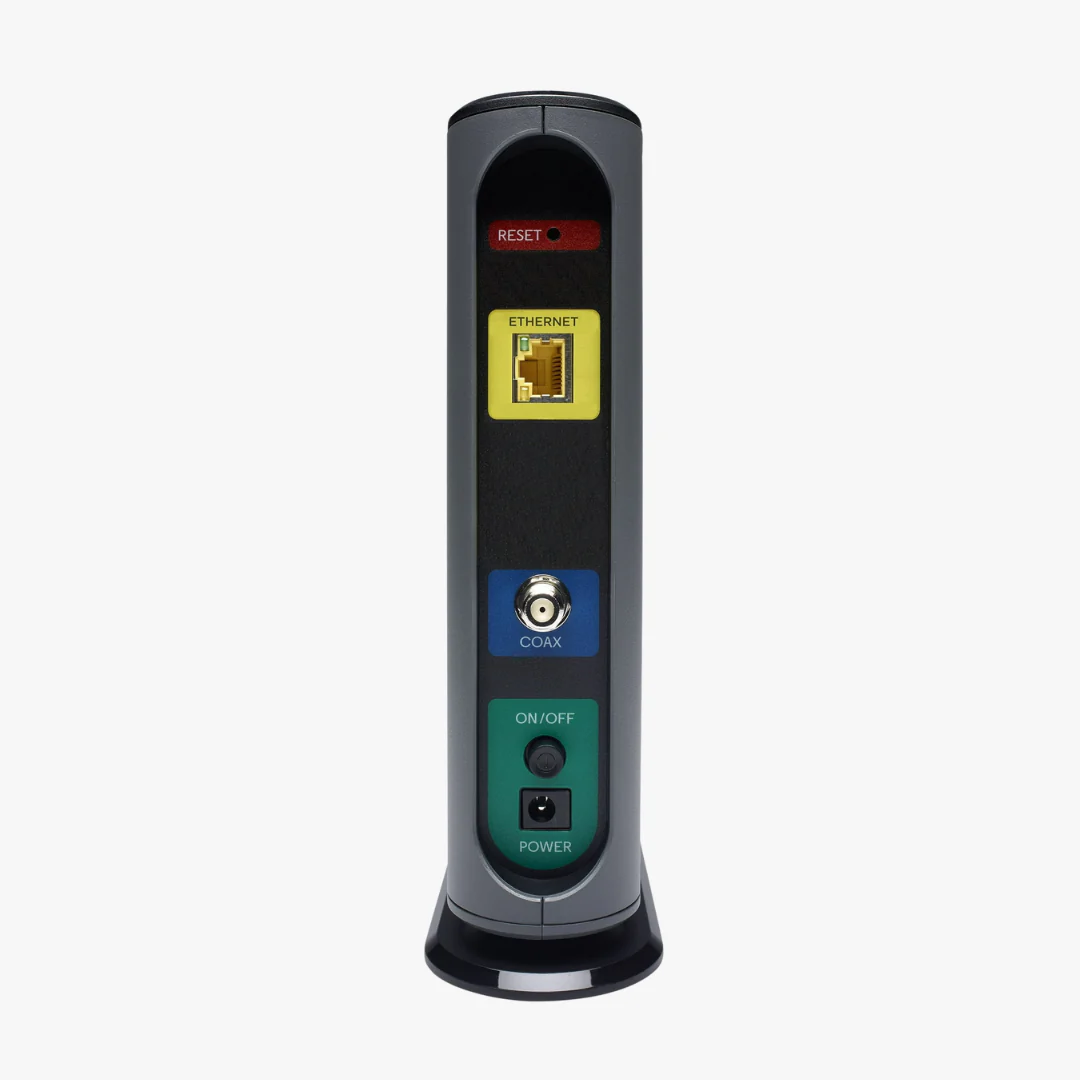
| Ethernet Ports | 1 × 2.5 GbE |
| Color | Black |
| Dimensions | Approx. 7.25" × 7.88" |
| Connectivity | Coax (WAN) + Ethernet (LAN). Pairs with any Wi-Fi router (router not included). |
| Latency Features | Active Queue Management (AQM) |
Performance
- Downstream: Gigabit-plus (varies by ISP and plan)
- Upstream: Up to ~800 Mbps when supported by your plan
What’s Included
- Motorola MB8611 Cable Modem
- Ethernet Cable
- Power Supply
- Online Installation Guide
Why Buy
- Save money: Owning typically saves up to ~$168/yr vs. renting (varies by ISP)
- Future-ready: Multi-gig LAN with 2.5 GbE
- Smoother experience: AQM reduces lag and buffering
Setup (3 Steps)
- Connect coax → power → Ethernet (to your router or computer).
- Activate with your ISP (app, web portal, or phone support).
- If using a router, set WAN to auto/DHCP and connect to the modem’s 2.5 GbE port.
FAQ
Does the MB8611 have Wi-Fi?
No. It’s a standalone cable modem. Pair it with any Wi-Fi router or mesh system.
Does it support voice/telephone service?
No. If you need voice, choose a modem with telephony (eMTA) support.
Is it compatible with my speed tier?
Yes for most Xfinity/Spectrum/Cox plans up to gigabit-plus. Verify your exact plan with your ISP.
How much can I save?
ISP rental fees vary, but many users save around $10–$15/month by owning their modem.
Details & Craftsmanship
Every detail has been carefully considered to bring you the perfect product.
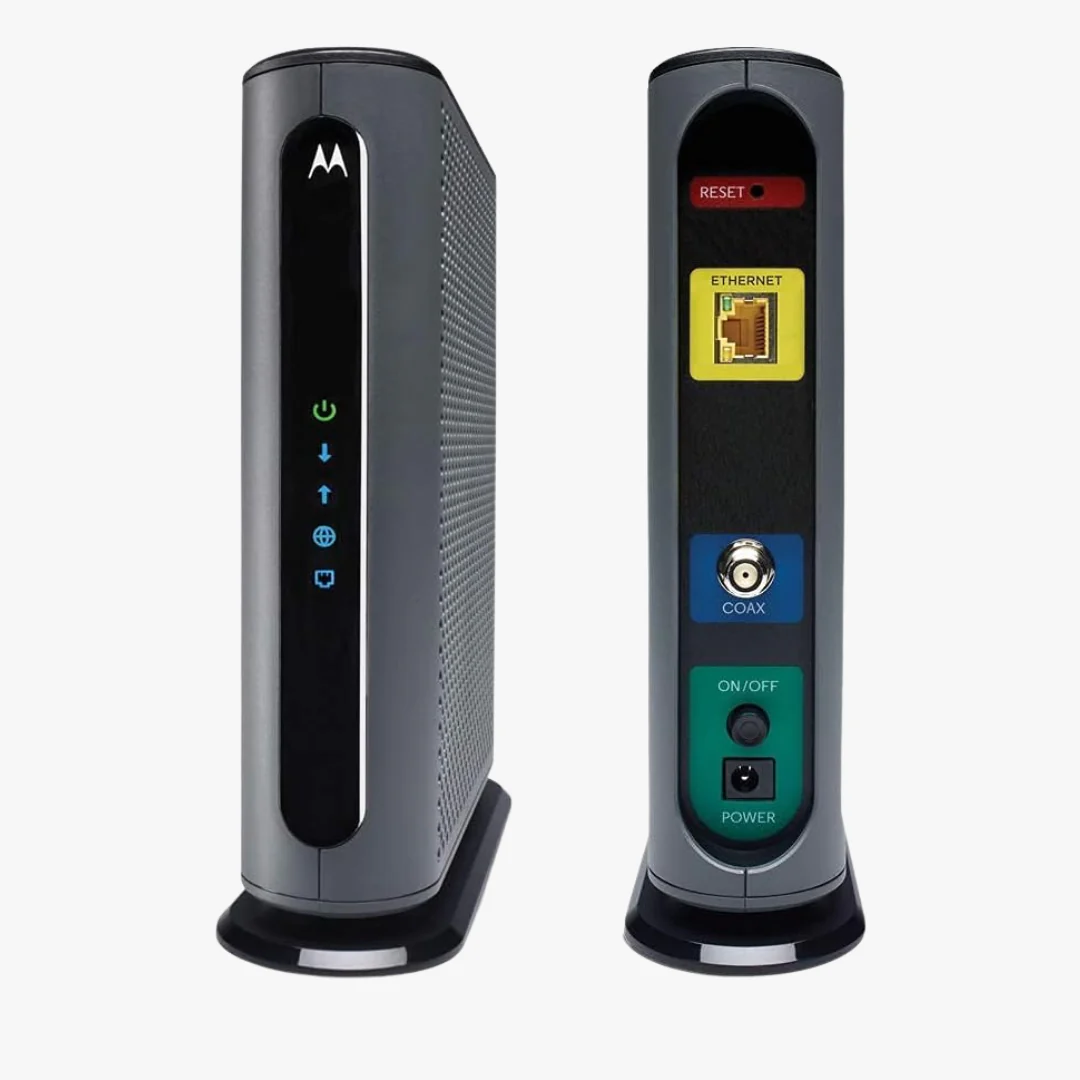
Details & Craftsmanship
Every detail has been carefully considered to bring you the perfect product.
Description
Unlock gigabit-plus internet with the Motorola MB8611. This DOCSIS 3.1 modem is approved for use with major cable ISPs and features a 2.5 GbE port, low-latency AQM, and seamless pairing with any Wi-Fi router.
Key Features
- DOCSIS 3.1 (backward compatible with 32x8 DOCSIS 3.0)
- 2.5 Gbps Ethernet for multi-gig routers, PCs, and NAS
- Lower latency with Active Queue Management (AQM) for smoother gaming, streaming, and video calls
- Own your modem and avoid monthly rental fees
- Works with any Wi-Fi router (no Wi-Fi or telephony built in)
Compatibility
Approved for most plans with major cable providers:
- Comcast Xfinity
- Spectrum (Charter)
- Cox
- RCN (Astound) in many regions
Important: Plan speeds and approval can vary by region. Check with your ISP to confirm support for your specific service tier.
Specs
| Brand | Motorola |
|---|---|
| Model | MB8611 |
| DOCSIS | 3.1 (OFDM/OFDM-A), 32x8 DOCSIS 3.0 backward compatible |
| Ethernet Ports | 1 × 2.5 GbE |
| Color | Black |
| Dimensions | Approx. 7.25" × 7.88" |
| Connectivity | Coax (WAN) + Ethernet (LAN). Pairs with any Wi-Fi router (router not included). |
| Latency Features | Active Queue Management (AQM) |
Performance
- Downstream: Gigabit-plus (varies by ISP and plan)
- Upstream: Up to ~800 Mbps when supported by your plan
What’s Included
- Motorola MB8611 Cable Modem
- Ethernet Cable
- Power Supply
- Online Installation Guide
Why Buy
- Save money: Owning typically saves up to ~$168/yr vs. renting (varies by ISP)
- Future-ready: Multi-gig LAN with 2.5 GbE
- Smoother experience: AQM reduces lag and buffering
Setup (3 Steps)
- Connect coax → power → Ethernet (to your router or computer).
- Activate with your ISP (app, web portal, or phone support).
- If using a router, set WAN to auto/DHCP and connect to the modem’s 2.5 GbE port.
FAQ
Does the MB8611 have Wi-Fi?
No. It’s a standalone cable modem. Pair it with any Wi-Fi router or mesh system.
Does it support voice/telephone service?
No. If you need voice, choose a modem with telephony (eMTA) support.
Is it compatible with my speed tier?
Yes for most Xfinity/Spectrum/Cox plans up to gigabit-plus. Verify your exact plan with your ISP.
How much can I save?
ISP rental fees vary, but many users save around $10–$15/month by owning their modem.